> ## Documentation Index
> Fetch the complete documentation index at: https://adminroletesting-justin-client-exports.mintlify.site/llms.txt
> Use this file to discover all available pages before exploring further.

# Vercel

> 配置 Vercel 重写规则，通过分步 vercel.json 设置将你的 Mintlify 文档托管在主域名的子路径下。

export const VercelJsonGenerator = () => {
  const [subdomain, setSubdomain] = useState('[SUBDOMAIN]');
  const [subpath, setSubpath] = useState('[SUBPATH]');
  const vercelConfig = {
    rewrites: [{
      source: "/_mintlify/:path*",
      destination: `https://${subdomain}.mintlify.site/_mintlify/:path*`
    }, {
      source: "/api/request",
      destination: `https://${subdomain}.mintlify.site/_mintlify/api/request`
    }, {
      source: `/${subpath}`,
      destination: `https://${subdomain}.mintlify.site/${subpath}`
    }, {
      source: `/${subpath}/llms.txt`,
      destination: `https://${subdomain}.mintlify.site/llms.txt`
    }, {
      source: `/${subpath}/llms-full.txt`,
      destination: `https://${subdomain}.mintlify.site/llms-full.txt`
    }, {
      source: `/${subpath}/sitemap.xml`,
      destination: `https://${subdomain}.mintlify.site/sitemap.xml`
    }, {
      source: `/${subpath}/robots.txt`,
      destination: `https://${subdomain}.mintlify.site/robots.txt`
    }, {
      source: `/${subpath}/mcp`,
      destination: `https://${subdomain}.mintlify.site/mcp`
    }, {
      source: `/${subpath}/:path*`,
      destination: `https://${subdomain}.mintlify.site/${subpath}/:path*`
    }, {
      source: "/mintlify-assets/:path+",
      destination: `https://${subdomain}.mintlify.site/mintlify-assets/:path+`
    }]
  };
  const copyToClipboard = () => {
    navigator.clipboard.writeText(JSON.stringify(vercelConfig, null, 2)).then(() => {
      console.log('Copied config to clipboard!');
    }).catch(err => {
      console.error("Failed to copy: ", err);
    });
  };
  return <div className="p-4 border dark:border-white/10 rounded-2xl not-prose space-y-4">
      <div className="space-y-4">
        <div>
          <label className="block text-sm text-zinc-950/70 dark:text-white/70 mb-1">
            Subdomain
          </label>
          <input type="text" value={subdomain} onChange={e => setSubdomain(e.target.value)} placeholder="your-subdomain" className="w-full p-1 text-sm rounded border dark:border-white/10 bg-transparent" />
        </div>
        <div>
          <label className="block text-sm text-zinc-950/70 dark:text-white/70 mb-1">
            Subpath
          </label>
          <input type="text" value={subpath} onChange={e => setSubpath(e.target.value)} placeholder="docs" className="w-full p-1 text-sm rounded border dark:border-white/10 bg-transparent" />
        </div>
      </div>
      <div className="relative">
        <button onClick={copyToClipboard} className="absolute top-2 right-2 p-2 rounded-lg transition-all duration-200 group">
          <svg width="18" height="18" viewBox="0 0 18 18" fill="none" xmlns="http://www.w3.org/2000/svg" className="w-4 h-4 dark:text-white/60 text-gray-400 group-hover:text-gray-500 dark:group-hover:text-white/60 transition-colors">
            <path d="M14.25 5.25H7.25C6.14543 5.25 5.25 6.14543 5.25 7.25V14.25C5.25 15.3546 6.14543 16.25 7.25 16.25H14.25C15.3546 16.25 16.25 15.3546 16.25 14.25V7.25C16.25 6.14543 15.3546 5.25 14.25 5.25Z" stroke="currentColor" strokeWidth="1.5" strokeLinecap="round" strokeLinejoin="round"></path>
            <path d="M2.80103 11.998L1.77203 5.07397C1.61003 3.98097 2.36403 2.96397 3.45603 2.80197L10.38 1.77297C11.313 1.63397 12.19 2.16297 12.528 3.00097" stroke="currentColor" strokeWidth="1.5" strokeLinecap="round" strokeLinejoin="round"></path>
          </svg>
          <span className="absolute top-9 left-1/2 transform -translate-x-1/2 bg-primary text-white text-xs px-1.5 py-0.5 rounded-lg opacity-0 group-hover:opacity-100 transition-opacity duration-200 whitespace-nowrap">
            Copy
          </span>
        </button>
        <pre className="p-4 rounded-lg overflow-auto text-xs border dark:border-white/10">
          <code>{JSON.stringify(vercelConfig, null, 2)}</code>
        </pre>
      </div>
    </div>;
};

配置你的 `vercel.json` 文件，将主域名的请求代理到文档所在的子路径。

<div id="verceljson-file">
  ## vercel.json 文件
</div>

`vercel.json` 文件用于配置项目的构建和部署方式。它位于项目的根目录，用来控制部署的各个方面，包括路由、重定向、请求头以及构建设置。

我们会在你的 `vercel.json` 文件中使用 `rewrites` 配置，将来自主域名的请求代理到你的文档站点。

Rewrites 会在不更改浏览器中 URL 的情况下，将传入请求映射到不同的目标。当有人访问 `yoursite.com/docs` 时，Vercel 会在内部从 `your-subdomain.mintlify.site/docs` 获取内容，但用户在浏览器中仍然看到的是 `yoursite.com/docs`。这与重定向不同，后者会将用户直接带到另一个完全不同的 URL。

<div id="configuration">
  ## 配置
</div>

<div id="host-at-docs-subpath">
  ### 在 `/docs` 子路径下托管
</div>

1. 在控制台中前往 [Custom domain setup](https://dashboard.mintlify.com/settings/deployment/custom-domain)。
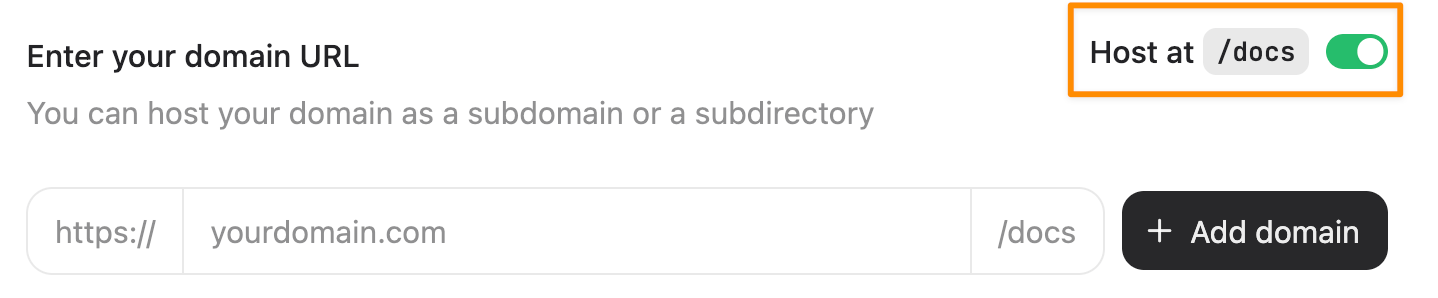
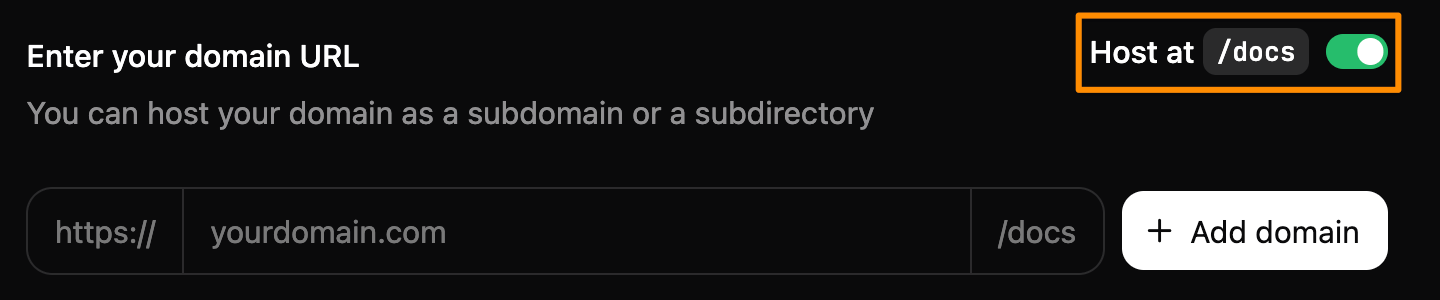
2. 将 **Host at `/docs`** 开关切换到开启状态。

   <Frame>
     <img alt="Custom domain setup 页面截图。Host at `/docs` 开关已打开，并用橙色矩形高亮显示。" src="https://mintcdn.com/adminroletesting-justin-client-exports/KkC7pYtcngy_MKHr/images/subpath/toggle-light.png?fit=max&auto=format&n=KkC7pYtcngy_MKHr&q=85&s=19ccb11326e81031f5edd1247121fa94" className="block dark:hidden" width="1438" height="298" data-path="images/subpath/toggle-light.png" />

     <img alt="Custom domain setup 页面截图。Host at `/docs` 开关已打开，并用橙色矩形高亮显示。" src="https://mintcdn.com/adminroletesting-justin-client-exports/KkC7pYtcngy_MKHr/images/subpath/toggle-dark.png?fit=max&auto=format&n=KkC7pYtcngy_MKHr&q=85&s=31b89cd795edaa78787e89bbeea9afd1" className="hidden dark:block" width="1440" height="300" data-path="images/subpath/toggle-dark.png" />
   </Frame>
3. 输入你的域名。
4. 选择 **Add domain**。
5. 在你的 `vercel.json` 文件中添加以下重写规则。将 `[subdomain]` 替换为你的子域，可以在控制台 URL 的末尾找到。例如，`dashboard.mintlify.com/your-organization/your-subdomain` 的子域标识符是 `your-subdomain`。

   ```json theme={null}
   {
     "rewrites": [
       {
         "source": "/docs",
         "destination": "https://[subdomain].mintlify.site/docs"
       },
       {
         "source": "/docs/:match*",
         "destination": "https://[subdomain].mintlify.site/docs/:match*"
       }
     ]
   }
   ```

`rewrites` 配置会将你域名上的 `/docs` 子路径映射到你的文档站点上的 `/docs` 子路径。

* **`source`**：你域名上触发重写的路径模式。
* **`destination`**：请求应被代理到的位置。
* **`:match*`**：用于捕获子路径之后任意路径片段的通配符。

如需了解更多信息，请参阅 Vercel 文档中的 [Configuring projects with vercel.json: Rewrites](https://vercel.com/docs/projects/project-configuration#rewrites)。

<div id="host-at-custom-subpath">
  ### 在自定义子路径下托管
</div>

要使用自定义子路径（任何非 `/docs` 的路径），你必须在存储库中组织文档文件，使其与子路径结构相匹配。比如，如果你的文档托管在 `yoursite.com/help`，那么文档文件必须位于 `help/` 目录中。

使用下面的生成器来创建你的 rewrites（重写规则）配置。将这些重写规则添加到你的 `vercel.json` 文件中。

<VercelJsonGenerator />